AIMochi — AI Voice-to-Text & Meeting Notes Assistant on LINE

AIMochi.AI voice-to-text that lives inside LINE

No app to install, no account to create. Send a recording or a voice message to the LINE official account and get the transcript and an AI summary back in your chat — a one-hour recording takes about 10 minutes, with 99 languages, up to 10 speakers identified, and 3,000 free points every month.

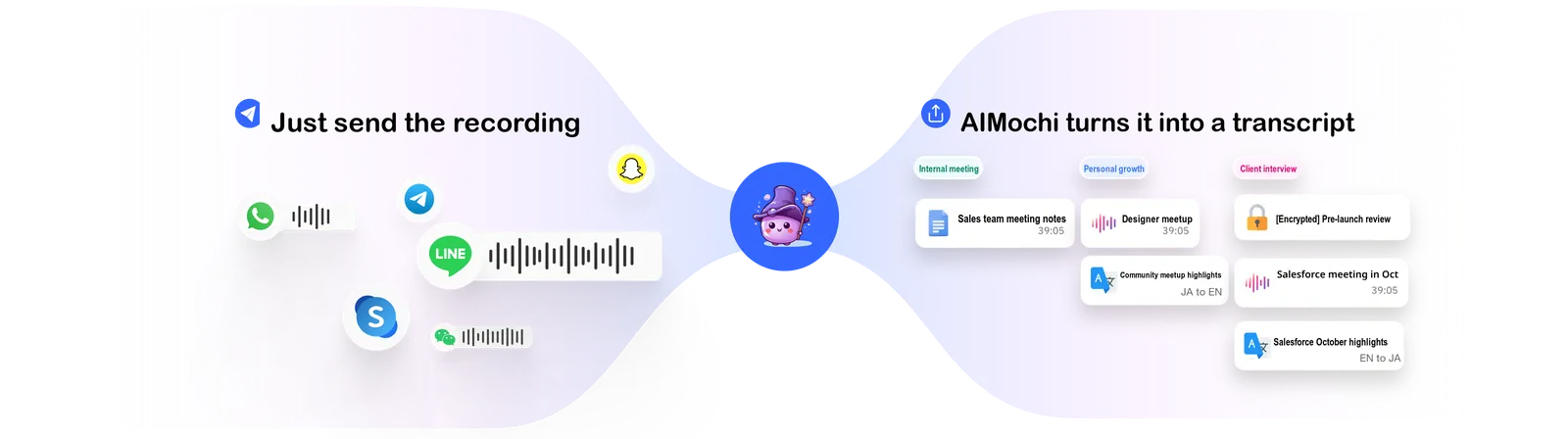
Send a recording to AIMochi and get the transcript back

Key features

Transcripts, straight from your LINE chat

Voice to text

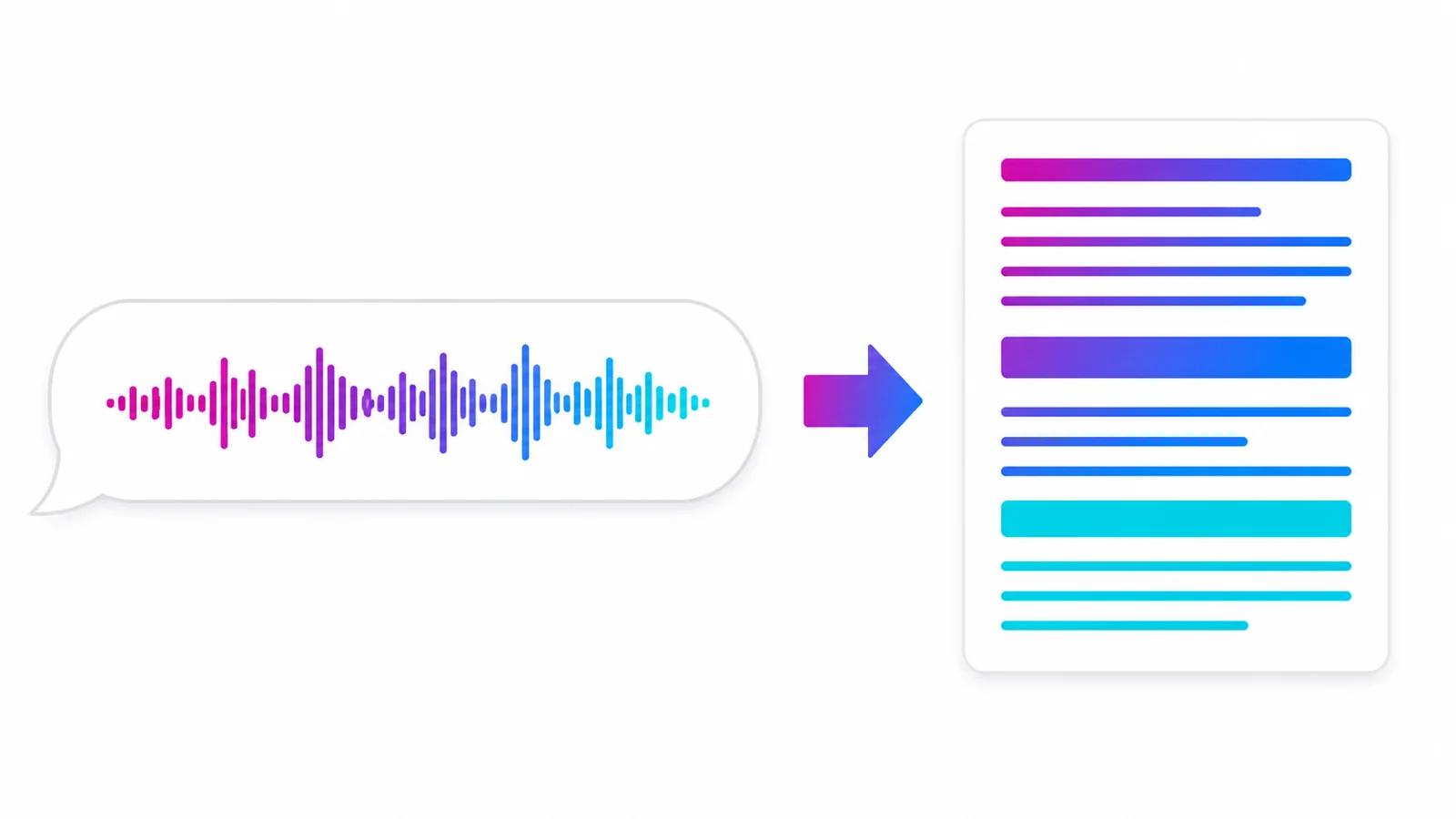
Share a recording with the AIMochi LINE official account and a long meeting becomes text in minutes. With support for more than 99 languages — including Chinese, English, Japanese, Korean and Southeast Asian languages — cross-border meetings are no longer a note-taking problem.

Speaker identification

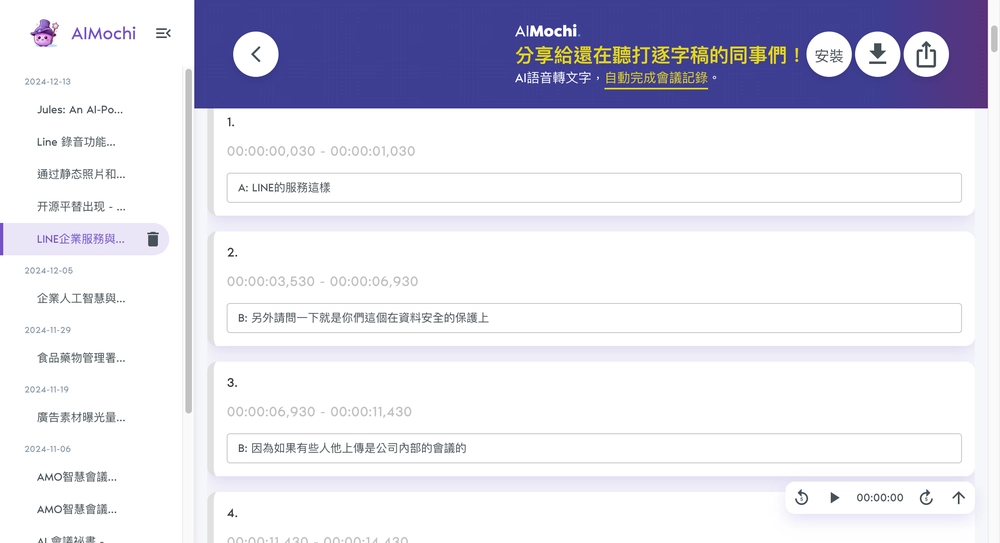
Advanced AI voiceprint technology lets AIMochi tell apart the distinct voices in a meeting and label the conversation as Speaker A, B, C and so on — up to 10 people. You can see at a glance who said what, which makes the transcript far easier to actually use.

AI writing

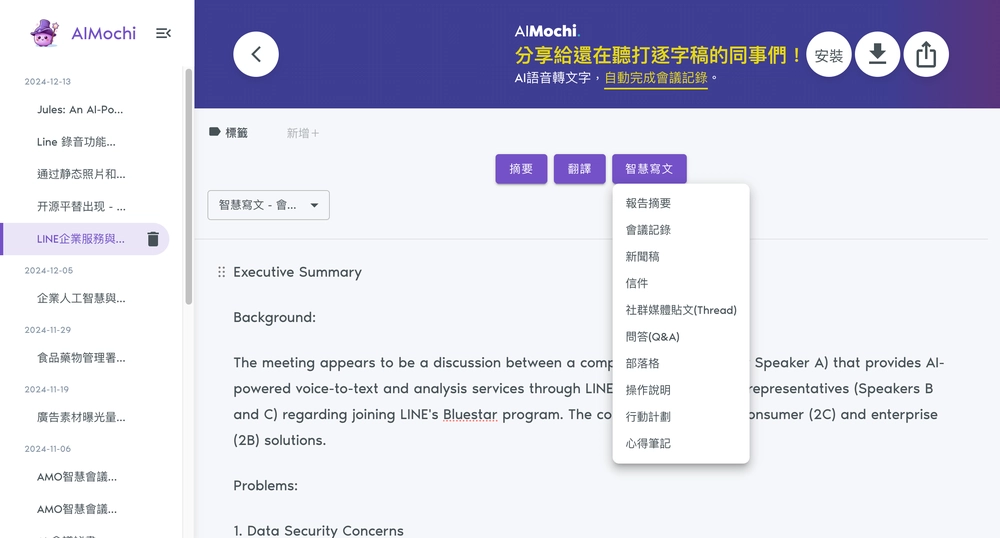
AIMochi does more than summarize. Powered by Claude Sonnet 5, it drafts meeting minutes, press releases, social posts and over 10 other professional formats. Record once, and turn raw audio into polished content that is genuinely ready to use.

Encrypted sharing

AIMochi keeps your notes protected. Share sensitive content with specific people from inside the platform, download files or copy notes as needed, and rest assured that every document transfer is encrypted end to end.

A whole new way to record

AIMochi gives students, professionals and creative workers a completely new way to capture what is said. Students record lectures without missing a word, professionals stay on top of meetings and documents, and creatives save an idea the moment it arrives — just by speaking.

How to use AIMochi

Tutorial
01

Add AIMochi on LINE

Add AIMochi as a friend on LINE and you immediately get 3,000 free points every month — everything AIMochi does, free to try.

02

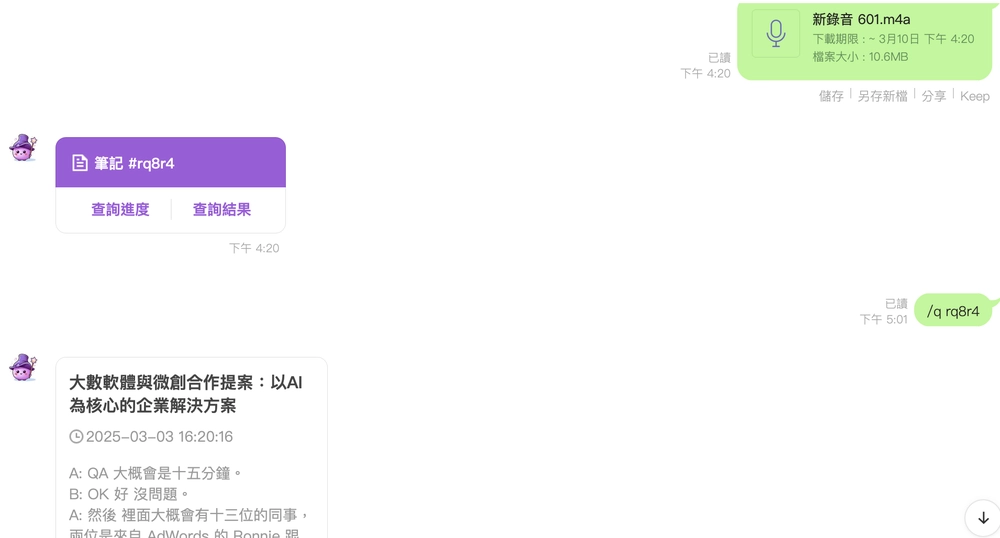
Send your recording

Record the meeting or voice memo in LINE and send it to AIMochi's cloud, where transcription and processing start automatically.

03

Get your transcript

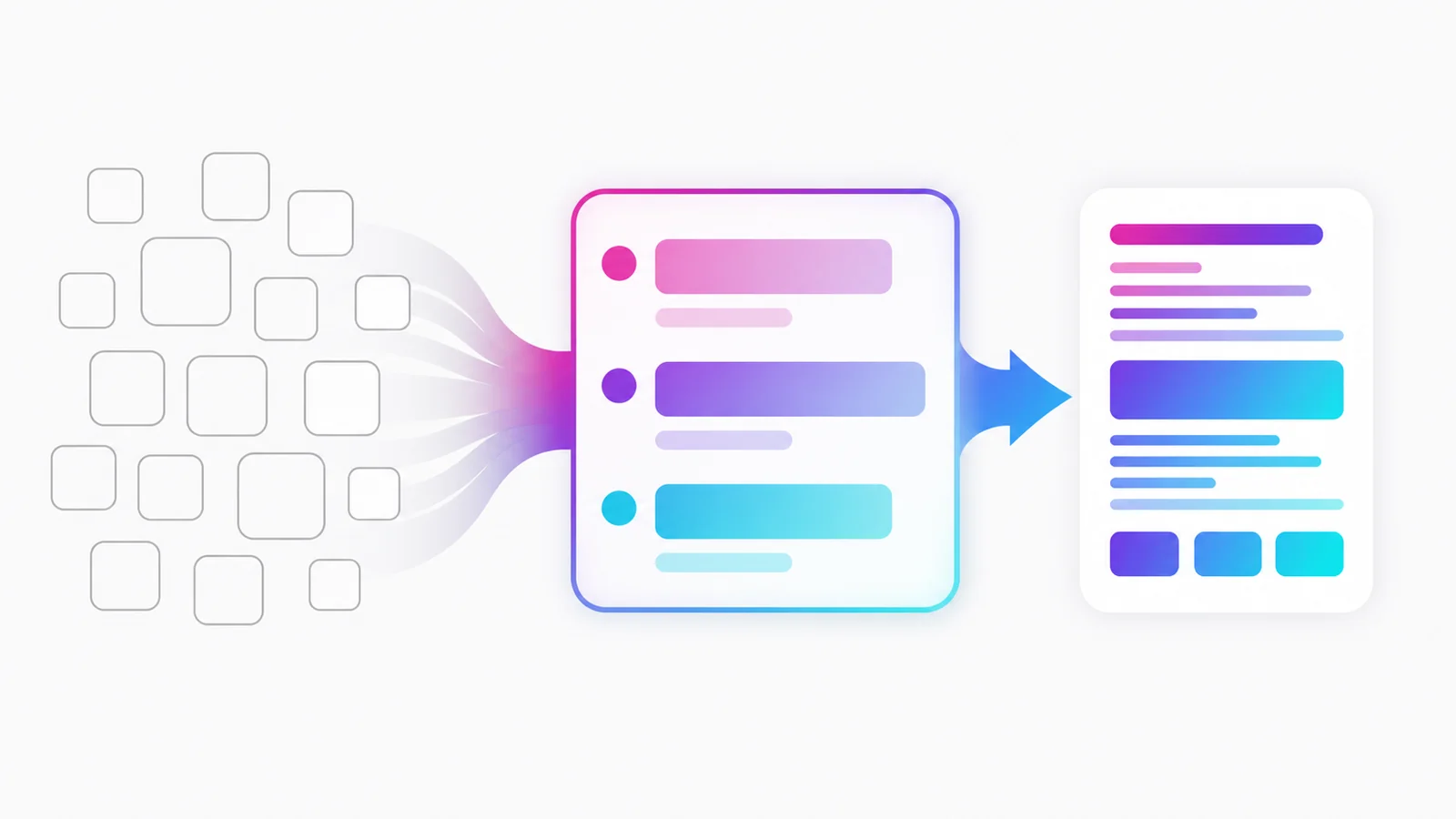
You get a full transcript back, plus tags, speaker labels, translation and summaries — everything you need to organize, categorize and share what was said.

Customer stories

"I used to carry a dedicated recorder around, which was a hassle. With AIMochi I just transcribe meetings through LINE, and the interface is so intuitive that even someone without a technical background like me picked it up right away. Looking forward to what they build next."

User
Mr. Lin
Sales Manager, Creative Workspace

"I run a dozen interviews a week, and writing them up was the part I dreaded. Since switching to AIMochi, I've saved hours of transcription time, and the search makes finding an old quote effortless. Best of all, it works right inside LINE — nothing new to learn."

User
Ms. Kuo
Journalist

"My meetings with Japanese clients need a complete record, but the tools I tried before struggled whenever Chinese and Japanese were mixed in one conversation. AIMochi not only separates the two accurately, it also produces a summary right away. Write-ups that used to take hours are done in minutes — a huge boost to how much I get through."

User
Mr. Wu
Management Consultant

AIMochi pricing

Plans for every workload and budget

Whether you are an individual or a whole company, AIMochi has a plan that fits how much you record and what you want to spend. All prices are in New Taiwan dollars (TWD). Questions, or need something more tailored? Our support team is happy to help.

Free

NT$0

/ month

3,000 free points every month, so you can start transcribing and editing right away — no commitment.

  • 300 minutes of fast transcription
  • AI translation, summaries and chat
  • AI writing
  • Shared team quota
Get started
Basic

NT$299

/ month

18,000 points a month (including the 3,000 free points) for professionals — however many meetings you have.

  • 1,800 minutes of fast transcription
  • AI translation, summaries and chat
  • AI writing
  • Shared team quota
Get started
Team

NT$899

/ month (5 seats included)

60,000 points a month (free points included) — about NT$180 per member for a quota the whole team shares.

  • 6,000 minutes of fast transcription
  • AI translation, summaries and chat
  • AI writing
  • Shared team quota
Get started

Enterprise solutions

Want to transcribe everything without worrying about where the data goes? Talk to us about an on-premise deployment that keeps your recordings inside your own infrastructure.

Contact us

Latest articles

See how AIMochi puts advanced AI to work as the assistant you did not know you needed.

More articles
No Need to Install Another App: Why Voice-to-Text Inside LINE Is Enough

Published: 2026/08/22 18:39

Whether a voice-to-text tool sticks depends not just on recognition quality but on how long the workflow is: opening an app, registering, exporting and uploading — every extra step raises the barrier. Putting transcription inside LINE, the app you already use all day, removes those steps. This article compares the two workflows, explains when a dedicated tool is still the right choice, and walks through the full flow and cost of transcribing inside LINE.

Class Notes with LINE: Record the Whole Lecture, Review Only the Key Points

Published: 2026/08/22 18:39

Taking class notes with LINE works like this: record the lecture, then after class send the audio to the AIMochi official account — it returns a transcript with a summary, and you can ask the note questions directly afterwards. This article covers the hidden cost of transcribing by hand, the exact steps, how to use the notes when revising, and how many lectures the monthly free quota supports.

LINE Voice Messages Too Long to Listen To? The Fastest Way to Read Them as Text

Published: 2026/08/22 18:39

When a LINE voice message is too long or too muffled to sit through, the fastest fix is to forward it to the AIMochi official account: the audio comes back as readable, searchable text, and you can generate a summary on top. This article explains why voice messages are hard to deal with, the exact steps to convert them, what to do in meetings or noisy environments, and roughly how many points each message costs.

Frequently asked questions

Q1: How do I get started with AIMochi?

Getting started takes a minute. Add AIMochi as a friend on LINE (@aimochi). Once you have added the account, you receive 3,000 free points every month so you can start using the service straight away, and you earn an extra 200 long-term points whenever someone you refer signs up with your referral code. After that, just send the audio file you want transcribed through LINE — AIMochi processes it automatically and sends the result back to you.

Q2: Which audio formats are supported?

AIMochi supports the common audio formats: MP3, WAV, M4A and AAC. You can upload files in these formats directly from your phone or your computer.

Q3: How do I create a voice note?

You can use LINE's built-in voice recorder, any other recording app, or simply upload an audio file you already have. On LINE for desktop, type the /upload command to open the file upload dialog, or upload the file through app.aimochi.ai.